How to setup Laravel + Vite in a Docker container

In the world of web development, having a smooth, efficient, and reliable development environment is crucial for productivity and delivering high-quality projects. This is where the combination of Laravel, Vite, and Docker shines.
Setting up your development environment
First of all you will need a place where to install Laravel first. In order to do this you need an environment. To get started easy I recommend you head over to Github and clone the https://github.com/brian978/docker-nginx-php-mysql repository. In the README.md file you will find the necessary information to build the containers and install Laravel.
Now that you have Laravel installed we will install Breeze which will also install Vite. You will need to run the following commands:
php artisan breeze:install

php artisan migrate
npm install
But you are not done yet. First you need to locate your packages.json file and change the dev script so that it looks like this “dev”: “vite --host” . Essentially what this does is to make the Vite server listen for external connections.
Second step to configure Vite is to allow CORS. To do this, you need to head over to vite.config.js and right above the plugins you need to add a server configuration. Default configs change over time but your config will look more or less like this after you make the change (notice the hmr):
import { defineConfig } from 'vite';
import laravel from 'laravel-vite-plugin';

export default defineConfig({
    server: {
        hmr: {
            host: 'localhost',
        }
    },
    plugins: [
        laravel({
            input: [
                'resources/css/app.css',
                'resources/js/app.js',
            ],
            refresh: true,
        }),
    ],
});
Once last thing you need to do before being able to go in the container and run vite with npm run dev . You need to allow connections in the container for the port that Vite is using. Generally it will be using 5173 but feel free to adjust as needed. The config below needs to go in docker-composer.yml in the section for the php service:
ports:
      - "5173:5173"
Now all you need to do is restart the containers, access the PHP container and run Vite:
make restart
make cli
npm run dev
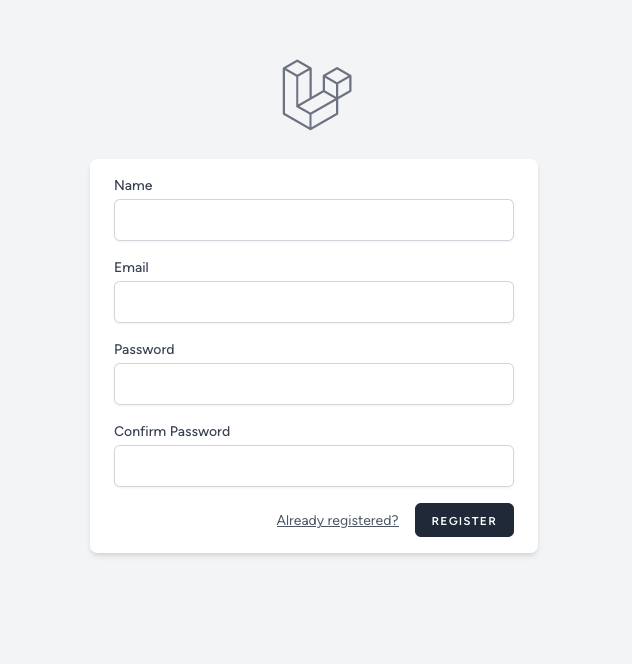
Now head over to http://localhost and voilà, your new Laravel app is running. If everything went well, http://localhost/register will present you with a nice styled form.
Conclusion
The integration of Laravel, Vite, and Docker not only provides a robust and efficient development environment but also sets the stage for a smooth deployment process. By encapsulating your Laravel and Vite setup within a Docker container, you gain a portable, consistent, and scalable development environment that will serve you well in your projects. With a bit of setup and configuration, you’ll be ready to tackle your web development projects with a refined, professional toolkit at your disposal.